
96 lines
2.9 KiB
Markdown
96 lines
2.9 KiB
Markdown
# 4y - Ly Fork - TUI display manager
|
|
|
|
|
|
# WARNING!
|
|
this fork of Ly is unfinished. please dont hate on it its still in development.
|
|
|
|
|
|
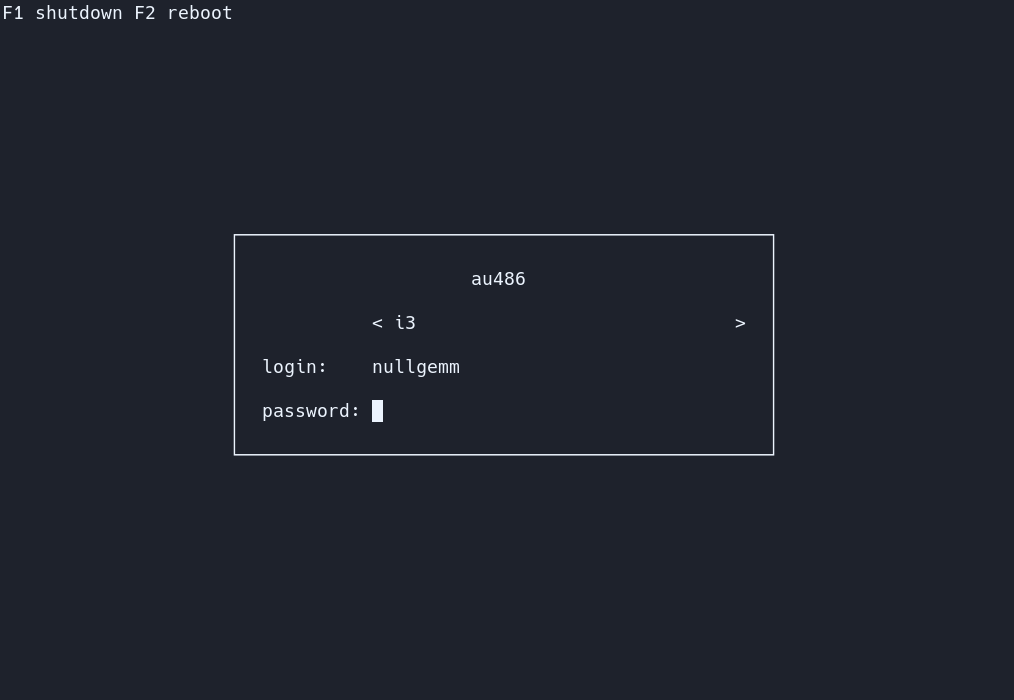
4y is a fork of Ly, It is made to be easier and have an auto install command.
|
|
Ly is a lightweight TUI (ncurses-like) display manager for Linux and BSD.
|
|
|
|
## Dependencies
|
|
- a C99 compiler (tested with tcc and gcc)
|
|
- a C standard library
|
|
- GNU make
|
|
- pam
|
|
- xcb
|
|
- xorg
|
|
- xorg-xauth
|
|
- mcookie
|
|
- tput
|
|
- shutdown
|
|
|
|
On Debian-based distros running `apt install build-essential libpam0g-dev libxcb-xkb-dev` as root should install all the dependencies for you.
|
|
|
|
## Support
|
|
The following desktop environments were tested with success
|
|
- bspwm
|
|
- budgie
|
|
- cinnamon
|
|
- deepin
|
|
- dwm
|
|
- enlightenment
|
|
- gnome
|
|
- i3
|
|
- kde
|
|
- lxde
|
|
- lxqt
|
|
- mate
|
|
- qtile
|
|
- sway
|
|
- xfce
|
|
- pantheon
|
|
- maxx
|
|
- windowmaker
|
|
|
|
4y should work with any X desktop environment, and provides
|
|
basic wayland support (sway works very well, for example).
|
|
|
|
## systemd?
|
|
For the autoinstall script. youre gonna need systemd. however,
|
|
with some tinkering you dont need systemd to do this!
|
|
|
|
## Installing
|
|
just do "git clone --recurse-submodules https://github.com/M4RT1NDEV/4y.git"
|
|
"cd 4y"
|
|
"bash install.sh" or "./install.sh"
|
|
|
|
## Configuration
|
|
You can find all the configuration in `/etc/4y/config.ini`.
|
|
The file is commented, and includes the default values.
|
|
|
|
## Controls
|
|
Use the up and down arrow keys to change the current field, and the
|
|
left and right arrow keys to change the target desktop environment
|
|
while on the desktop field (above the login field).
|
|
|
|
## .xinitrc
|
|
If your .xinitrc doesn't work make sure it is executable and includes a shebang.
|
|
This file is supposed to be a shell script! Quoting from xinit's man page:
|
|
```
|
|
If no specific client program is given on the command line, xinit will look for
|
|
a file in the user's home directory called .xinitrc to run as a shell script to
|
|
start up client programs.
|
|
```
|
|
On ArchLinux, the example .xinitrc (/etc/X11/xinit/xinitrc) starts like this:
|
|
```
|
|
#!/bin/sh
|
|
```
|
|
|
|
## Tips
|
|
The numlock and capslock state is printed in the top-right corner.
|
|
Use the F1 and F2 keys to respectively shutdown and reboot.
|
|
Take a look at your .xsession if X doesn't start, as it can interfere
|
|
(this file is launched with X to configure the display properly).
|
|
|
|
## PSX DOOM fire animation
|
|
To enable the famous PSX DOOM fire described by [Fabien Sanglard](http://fabiensanglard.net/doom_fire_psx/index.html),
|
|
just uncomment `animate = true` in `/etc/ly/config.ini`. You may also
|
|
disable the main box borders with `hide_borders = true`.
|
|
|
|
## Additional Information
|
|
The name "4y" comes from the 4 in M4RT1NDEV and the y is from
|
|
the name ly which is the login manager this is a fork of.
|
|
|
|
The name "Ly" is a tribute to the fairy from the game Rayman.
|
|
Ly was tested by oxodao, who is some seriously awesome dude.
|