- Swift 99.5%
- Perl 0.2%
- C++ 0.2%
 a8d7dff322
Two fixes for the right-click-artwork-to-wallpaper flow on Spotify tracks that have a Canvas video. 1. Force AllSpacesAndDisplays.Type and SystemDefault.Type to "individual" while the artwork is active (was: keep existing value via nil-coalescing). On macOS Tahoe the user-level wallpaper rotation honors the parent Type field, so leaving it as "folder" caused WallpaperAgent to advance to the next image in a rotating wallpaper pack instead of honoring the patched single-image / aerial choice. The original Type is preserved in the plist backup at temp/atoll_wallpaper_backup.plist and is restored byte-for-byte on dismiss, so rotation resumes normally after the artwork is dismissed. The forced override is also applied to nested Displays / Spaces blocks but only when Type was already present, to avoid mutating block shapes that intentionally omit it. 2. When the Canvas is expected at right-click time (effectiveVideoURL != nil), defer applyArtworkToPlist and restartWallpaperAgent entirely. Previously the flow applied raw album art as the static wallpaper, restarted the agent, then prepared and applied the aerial in a second restart, causing a visible flash of the raw album cover. The deferred path stores the blurred fallback URL in pendingFallbackStaticURL and only touches the plist once: with the aerial on success, or with the blurred album cover via applyDeferredStaticFallback if the aerial asset prep or aerial-plist patch fails. The in-app videoWindow continues to mask the desktop wallpaper during prep on the unlocked screen; the lock screen simply transitions from the existing wallpaper straight to the Canvas video. The earlier ?? nil-coalescing in patchWallpaperEntries also covered per-Display, per-Space.Default, and per-Space.Displays Type fields, so those are forced too where present. Signed-off-by: Jis G Jacob <studiokeys@blissroms.org> |
||
|---|---|---|
| .github | ||
| Contents/Helpers | ||
| DynamicIsland | ||
| DynamicIsland.xcodeproj | ||
| DynamicIslandSamples | ||
| Frameworks/MediaRemoteAdapter.framework | ||
| LottieAnimations | ||
| mediaremote-adapter | ||
| Updates | ||
| .gitattributes | ||
| .gitignore | ||
| CODE_OF_CONDUCT.md | ||
| CONTRIBUTING.md | ||
| COPYRIGHT_ASSETS | ||
| LICENSE | ||
| Localizable.xcstrings | ||
| NOTICE | ||
| ReadMe.md | ||
| TRADEMARKS | ||

Atoll - DynamicIsland for macOS






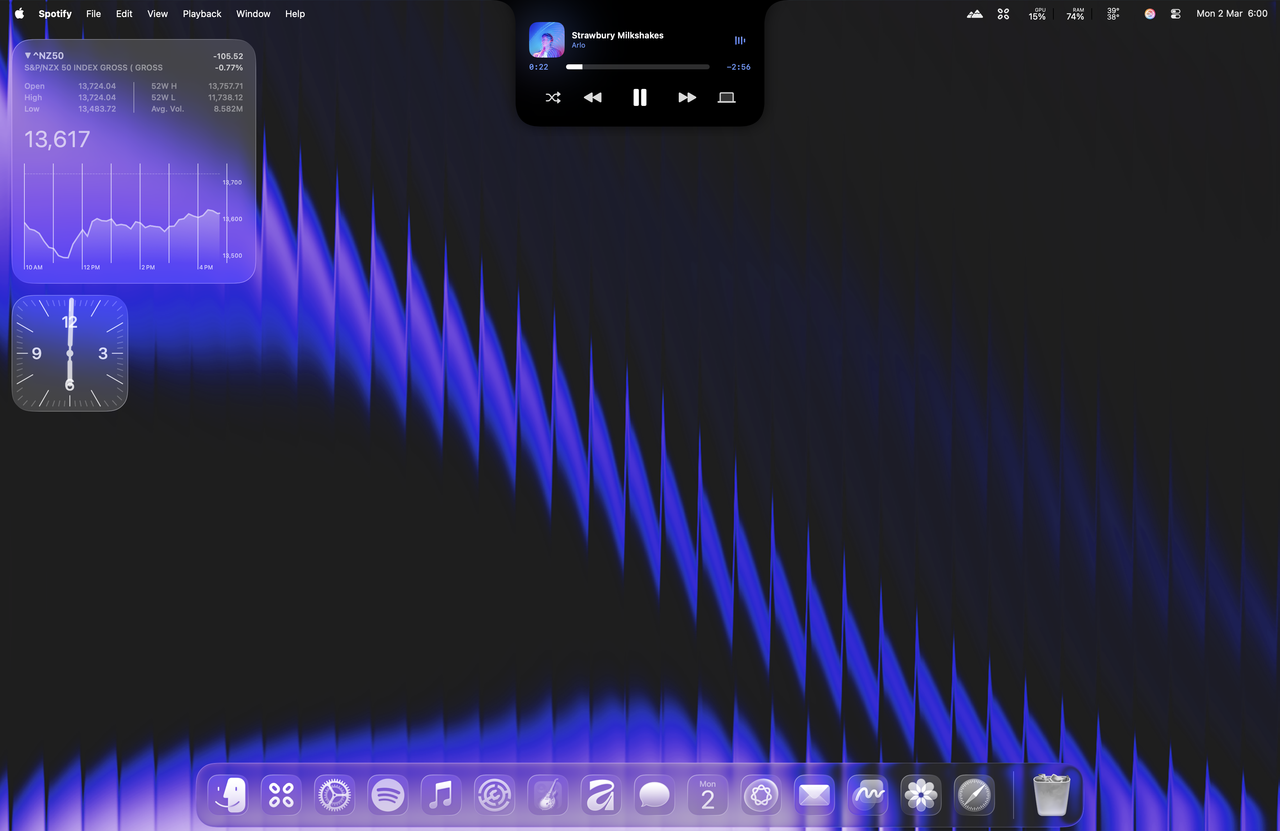
Atoll turns the MacBook notch into a focused command surface for media, system insight, and quick utilities. It stays out of the way until needed, then expands with responsive, native SwiftUI animations.
Highlights
- Media controls for Apple Music, Spotify, and more with inline previews.
- Live Activities for media playback, Focus, screen recording, privacy indicators, downloads (beta), and battery/charging.
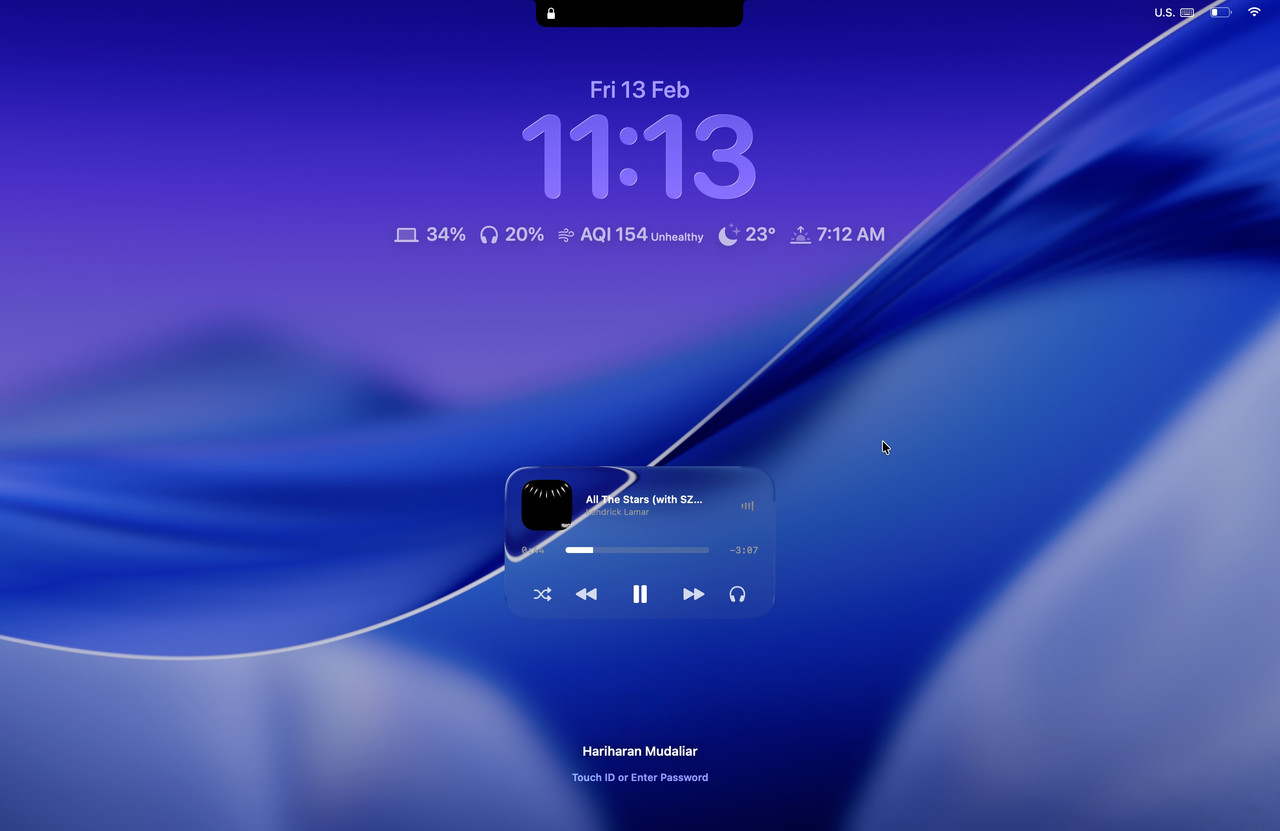
- Lock screen widgets for media, timers, charging, Bluetooth devices, and weather.
- Lightweight system insight for CPU, GPU, memory, network, and disk usage.
- Productivity tools including timers, clipboard history, color picker, and calendar previews.
- Customization for layouts, animations, hover behavior, and shortcut remapping.
Other Features
- Gesture controls for opening/closing the notch and media navigation.
- Parallax hover interactions with smooth transitions.
- Lock screen appearance and positioning controls for panels and widgets.
Requirements
- macOS 14.0 or later (optimised for macOS 15+).
- MacBook with a notch (14/16‑inch MBP across Apple silicon generations).
- Xcode 15+ to build from source.
- Permissions as needed: Accessibility, Camera, Calendar, Screen Recording, Music.
Installation
- Download the latest DMG here.
- Open the DMG and drag Atoll into Applications.
- Launch Atoll and grant the requested permissions.
Quick Start
- Hover near the notch to expand; click to enter controls.
- Use tabs for Media, Stats, Timers, Clipboard, and more.
- Adjust layout, appearance, and shortcuts from Settings.
- Add files to Shelf from Terminal:
open -a Atoll /path/to/file.
Settings
- Choose appearance, animation style, and per‑feature toggles.
- Remap global shortcuts and adjust hover behaviour.
- Enable lock screen widgets and select data sources.
Gesture Controls
- Two-finger swipe down to open the notch when hover-to-open is disabled; swipe up to close.
- Enable horizontal media gestures in Settings → General → Gesture control to turn the music pane into a trackpad for previous/next or ±10 second seeks.
- Pick the gesture skip behaviour (track vs ±10s) independently from the skip button configuration so swipes can scrub while buttons change tracks—or vice versa.
- Horizontal swipes trigger the same haptics and button animations you see in the notch, keeping visual feedback consistent with tap interactions.
Troubleshooting (Basics)
- After granting Accessibility or Screen Recording, quit and relaunch the app.
- If metrics are empty, enable categories in Settings → Stats.
- Media not responding: verify player is active and Music permission is granted.
License
Atoll is released under the GPL v3 License. Refer to LICENSE for the full terms.
Acknowledgments
Atoll builds upon the work of several open-source projects and draws inspiration from innovative macOS applications:
-
Boring.Notch - foundational codebase that provided the initial media player integration, AirDrop surface implementation, file dock functionality, and calendar event display. Major architectural patterns and notch interaction models were adapted from this project.
-
Alcove - primary inspiration for the Minimalistic Mode interface design and the conceptual framework for lock screen widget integration that informed Atoll's compact layout strategy.
-
Stats - source implementation for CPU temperature monitoring via SMC (System Management Controller) access, frequency sampling through IOReport bindings, and per-core CPU utilisation tracking. The system metrics collection architecture derives from Stats project readers.
-
Open Meteo - weather apis for the lock screen widgets
-
SkyLightWindow - window rendering for Lock Screen Widgets
-
rtaudio - Live music visualizer using C++ was adapted from this project
-
SwiftTerm - Terminal tab implementation in the standard mode was adapted from this project
-
Wick - Thanks Nate for allowing us to replicate the iOS like Timer design for the Lock Screen Widget
Contributors
Star History
Updating Existing Clones
If you previously cloned DynamicIsland, update the remote to track the Atoll repository:
git remote set-url origin https://github.com/Ebullioscopic/Atoll.git
A heartfelt thanks to TheBoredTeam for being supportive and being totally awesome, Atoll would not have been possible without Boring.Notch
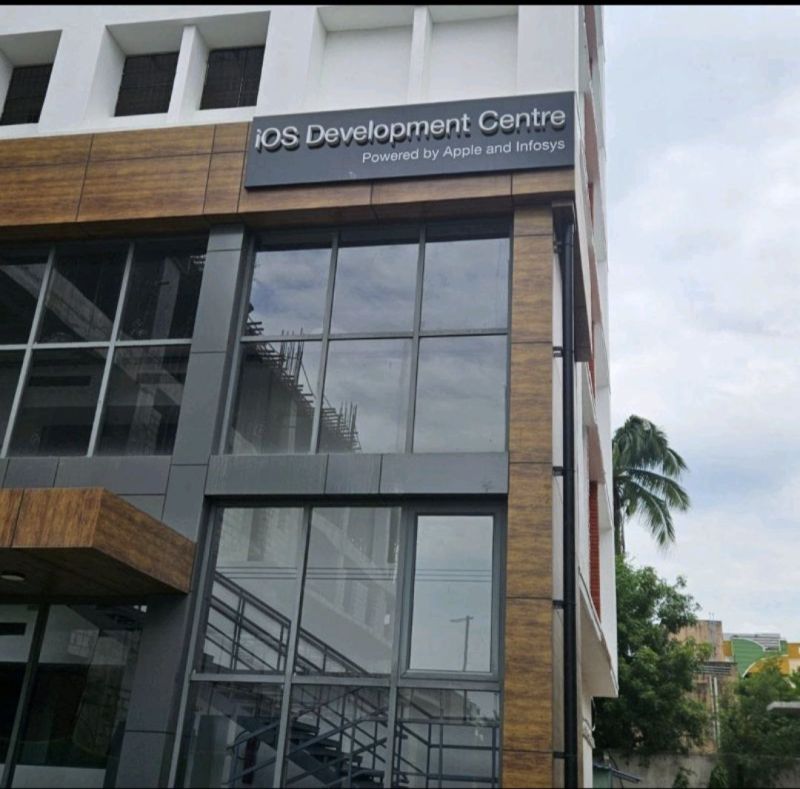
Backed by
iOS Development Centre
Powered by Apple and Infosys
SRM Institute of Science and Technology, Chennai, India

Your support helps fund teaching children software development.